

AI content writing can help writers create useful content faster and save hours of manual work. Instead of spending too much time staring at a blank page, you can use AI tools to generate ideas, create outlines, improve sentences, and organize your content.

However, AI should not replace your own knowledge and creativity. When used correctly, AI content writing can make your writing process faster, easier, and more organized. Even when I knew exactly what I wanted to say, turning my ideas into a well-structured article could feel like pushing a heavy cart uphill.
That changed when I started using AI as part of my content writing workflow.
I did not start using AI because I wanted a machine to write everything for me. Instead, I wanted to remove the slow and repetitive parts of writing so I could spend more time thinking about ideas, examples, strategy, and the reader.

AI Content Writing
Today, I use AI like a writing assistant that helps me move from a blank page to a finished draft much faster.
The biggest lesson I have learned is simple: AI works best when I use it to support my thinking rather than replace it. I still decide what the article should say, who it is for, what examples belong in it, and what information needs to be checked. AI helps me organize those decisions and turn them into usable content.
This approach has changed the way I work. Instead of staring at an empty document for an hour, I can start with a clear plan. Instead of rewriting the same paragraph five times, I can ask AI for several approaches and choose the one that fits.
Instead of spending all my energy on basic editing, I can focus on making the article useful and interesting. That is how I have been able to cut my content writing time in half while keeping control of the final result.
Why I Started Using AI for Content Writing
Before AI became part of my workflow, content writing was often a long sequence of small tasks. None of those tasks seemed impossible on their own, but together they consumed a surprising amount of time.

I would begin with an idea and then try to decide what the reader actually needed to know. After that, I would search for related information, collect notes, organize them, create headings, write an introduction, develop the main sections, add examples, write a conclusion, and finally edit everything.
The difficult part was not always writing. In many cases, the real problem was switching between different types of work.
Research requires one kind of thinking. Outlining requires another. Writing requires another. Editing requires another. SEO requires another. Every time I switched from one task to another, I lost momentum.

AI helped me create a smoother system.
Instead of treating every article as a completely new project, I started breaking the process into repeatable stages. AI became useful at almost every stage because it could help me brainstorm, organize, rewrite, summarize, and review content.
The goal was never to press a button and publish whatever appeared on the screen. My goal was to make the entire process feel less like starting from zero every time.
The Biggest Time Wasters in Content Creation
For me, several parts of content writing consistently consumed the most time.
The first was getting started. A blank document can be surprisingly intimidating. Even when I knew the topic, I sometimes spent too long thinking about the opening sentence.
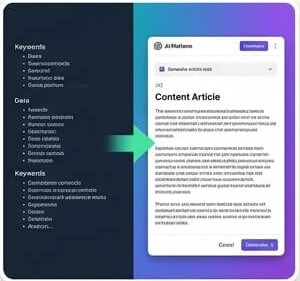
The second was outlining. A good article needs logical movement. One section should naturally lead into the next. Without a plan, it is easy to repeat the same idea or leave important questions unanswered.
The third was rewriting. Sometimes the information was correct, but the sentence sounded awkward. I knew what I meant, but I could not find the cleanest way to express it.
The fourth was editing. Grammar, sentence length, transitions, repetition, headings, clarity, and overall flow can take almost as much time as writing the first draft.

Finally, there was SEO. Finding appropriate keywords, deciding where to place them, creating a useful title, and writing a meta description added another layer to the process.
AI did not eliminate these tasks. It made many of them faster and easier to manage.
What Changed After I Added AI to My Workflow
The biggest change was that I stopped expecting myself to do everything manually.
Instead of thinking, “I need to write a 4,000-word article,” I started thinking, “I need to complete the next stage.”
That difference sounds small, but it changed my workflow completely.
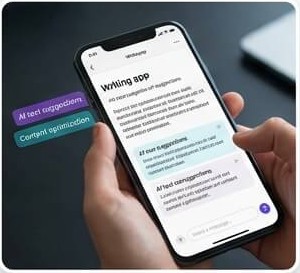
I could ask AI to help me brainstorm article angles. Then I could create an outline. Then I could develop each section individually. After writing, I could use AI as an editor to identify unclear sentences, repeated ideas, weak transitions, and sections that needed more explanation.
This made the process feel more manageable.
AI also helped me overcome writer’s block. If I became stuck, I did not have to sit there staring at the screen. I could explain what I was trying to say and ask for possible ways to approach the idea.
Sometimes the suggestions were useful. Sometimes they were not. But even when I did not use the suggestions directly, they often helped me think about the topic from another angle.

That is one of the most valuable ways I use AI: as a brainstorming partner.
My AI Content Writing Workflow
My current workflow is built around a simple principle: plan first, write second, edit third.
Instead of asking AI to produce an enormous article from one vague instruction, I break the work into smaller stages. This gives me more control and usually produces content that is easier to improve.
OpenAI’s current writing guidance similarly describes a workflow of planning, drafting, revising, and packaging, while emphasizing that AI output should be treated as a draft that receives human review.
Step 1: I start with the content goal
Before I ask AI to write anything, I define the purpose of the article.
I ask myself a few basic questions:
- Who is going to read this?
- What problem does the article solve?
- What does the reader want to learn?
- What should the reader understand after finishing it?
- What makes my article different from a generic article on the same topic?
These questions may sound simple, but they prevent a common problem with AI writing: producing a lot of words without a clear purpose.

For example, if I am writing about AI content writing tools, I do not simply ask AI to “write an article about AI.” That is too broad.
Instead, I might define the topic as a practical guide for bloggers who want to reduce the time they spend writing articles while maintaining quality.
Now the AI has context.
The difference is similar to giving a driver a destination instead of simply telling the driver to start driving. Without a destination, movement does not necessarily mean progress.
Step 2: I Use AI for Topic Research and Ideas
Once I know the goal, I use AI to expand my thinking.
I might ask for related questions readers have about the topic, possible subtopics, common mistakes, examples, objections, and different content angles.
I do not automatically accept everything AI suggests.
Instead, I use the suggestions as a research and brainstorming map.
For example, an article about content writing with AI might include topics such as brainstorming, research, outlines, drafting, editing, SEO, fact-checking, tone, productivity, and content repurposing.
AI can help me identify these areas quickly.
But when the article contains statistics, current information, product details, policies, or other facts that could change, I verify them using reliable sources. This step is extremely important because AI can produce information that sounds confident but is incorrect or outdated.
Research should give me confidence in the facts, while AI helps me organize the information.
Step 3: I Build the Article Outline
This is one of the areas where AI saves me a lot of time.
Instead of immediately asking for a 4,000-word article, I ask AI to help me create the structure first.
A strong outline gives me a roadmap.
I can see whether the introduction leads naturally into the main topic. I can identify sections that overlap. I can add missing questions. I can decide which parts deserve more explanation.
For a long article, I usually divide the topic into major sections and then add smaller subsections beneath them.
This makes the article easier to write because I am no longer thinking about thousands of words at once. I am thinking about one section at a time.
It also makes editing easier because every section has a specific job.
How AI Helps Me Write Faster
Once the planning stage is complete, writing becomes much easier.
The biggest advantage is that I no longer have to create every sentence from nothing. I already have the topic, audience, structure, and key points.
AI can then help turn those raw materials into a first draft.
Creating the First Draft
I often give AI my main points and ask it to develop them into a draft.
But I do not treat that draft as the finished article.
The first draft is more like a block of clay. It gives me something to shape.
I can look at a paragraph and decide that it needs a personal example. Another section might need a statistic. A third section might be too generic.
This is much faster than trying to produce perfect prose from the first sentence.
One of the biggest mistakes writers make is trying to edit while writing.
You write a sentence.
Then you change it.
Then you change it again.
Then you question the paragraph.
Then you return to the opening.
Suddenly, an hour has disappeared.
AI helps me separate creation from refinement. I can generate a rough version first and improve it afterward.
Improving Introductions and Headings
Introductions are important because they determine whether readers want to continue.
I sometimes use AI to generate different approaches to an introduction.
For example, I might ask for one introduction that starts with a common problem, another that begins with a personal experience, and another that starts with a surprising question.
I then choose the approach that best fits the article.
The same applies to headings.
A heading should tell readers what they are going to get. It should not simply sound clever.
Instead of a vague heading such as “The Magic of AI,” a more useful heading might be “How AI Helps Me Create Article Outlines Faster.”
The second heading immediately tells the reader what the section is about.
AI is particularly useful for generating variations quickly. Instead of spending twenty minutes trying to improve one heading, I can review several possibilities and select or modify the strongest one.
Making Difficult Ideas Easier to Understand
Another major use of AI is simplifying complicated writing.
Sometimes I understand an idea clearly, but the explanation becomes too technical.
I can give the paragraph to AI and ask it to rewrite the explanation using simpler language.
I might request:
- shorter sentences,
- simpler vocabulary,
- clearer examples,
- a conversational tone,
- fewer technical terms,
- stronger transitions.
This is especially helpful when writing for a broad audience.
Good content does not need to sound complicated to sound intelligent. In fact, the ability to explain something clearly is often more valuable than using impressive words.
AI can help me see where an explanation becomes unnecessarily difficult.
How I Use AI for SEO Content
Because I work with online content, SEO is an important part of my writing process.
However, I do not want the article to sound like it was written for a search engine.
The reader comes first.
Google’s current guidance emphasizes helpful, reliable, people-first content and warns against creating content primarily to manipulate search rankings. Google also says AI-assisted content can be useful when it provides value, while mass-produced content created without meaningful added value can create problems.
That principle fits the way I use AI.
Finding and Organizing Keywords
AI can help me brainstorm keyword ideas and group related topics.
For example, if my main topic is “AI content writing,” related concepts might include AI writing tools, AI writing workflow, content writing automation, AI SEO writing, AI content creation, and AI writing productivity.
I do not automatically use every suggestion.
Instead, I organize keywords according to search intent and relevance.
The purpose is to understand the language people may use when looking for information.
The article itself still needs to answer the reader’s question naturally.
Keyword stuffing is not my goal.
If a keyword fits naturally, I use it. If forcing it into a sentence makes the writing worse, I would rather rewrite the sentence.
Optimizing Headings and Content Structure
AI can also help me review the structure of an article.
I can ask whether the headings are logically organized and whether important questions are missing.
For long-form content, structure matters because readers rarely consume every word from beginning to end. Many people scan headings before deciding which sections to read.
Good headings create a visual map.
They help readers understand what is coming and allow them to jump directly to the information they need.
I use AI to review this structure, but I make the final decision because I know the purpose of the article and the audience.
Improving Meta Titles and Descriptions
Meta titles and descriptions are another area where AI saves time.
I can provide the article topic and primary keyword and ask for several options.
Instead of writing one title and repeatedly changing it, I can generate multiple approaches.
For example, one title might be practical, another curiosity-driven, and another focused on a specific benefit.
I then select the version that accurately represents the content.
The important point is that I do not promise something in the title that the article does not deliver.
A click is not useful if the reader immediately feels misled.
How I Edit AI-Assisted Content
This is where my own role becomes extremely important.
AI can create sentences quickly, but speed is not the same thing as quality.
The editing stage is where I add personality, accuracy, experience, and judgment.
Adding My Own Experience and Examples
Generic AI content often sounds polished but empty.
It can explain a concept without showing what it actually looks like in real life.
That is why I add examples from my own workflow whenever possible.
Instead of simply saying, “AI can save writers time,” I explain how I use it.
I describe the stage where it helps me.
I explain what I ask it to do.
I describe what I change afterward.
Those details make the content more useful because readers can see how the process works.
Google’s guidance currently places emphasis on original information, first-hand experience, and content that provides value beyond material that could easily be reproduced elsewhere.
This is one reason I do not want AI to completely replace my contribution.
My experience is part of the value.
Checking Facts and Removing Errors
Fact-checking is one of the most important steps in my workflow.
AI can help organize information, but I do not assume every statement is correct.
If the article contains a statistic, date, product specification, research finding, company policy, or current event, I verify it using an appropriate source.
This is especially important because online information changes.
A fact that was correct last year may no longer be correct today.
The same applies to links and references.
If an article depends on external information, I want the supporting source to be relevant and trustworthy.
This step may take a few minutes, but it can prevent a much bigger problem later.
Making AI Writing Sound Human
After the factual review, I focus on the writing style.
AI-generated drafts can sometimes become repetitive.
You may see the same sentence pattern appearing again and again.
The writing may also contain generic transitions or predictable phrases.
I remove those patterns.
I vary sentence lengths.
I add specific examples.
I replace vague statements with concrete explanations.
I make the tone sound more natural.
Most importantly, I ask whether I would actually speak this way if I were explaining the topic to another person.
If the answer is no, I rewrite it.
OpenAI’s own writing guidance recommends treating AI output as a draft and using focused revision rather than assuming the first output is the final version.
My Time-Saving AI Content System
The biggest productivity improvement did not come from one magical AI prompt.
It came from creating a repeatable system.
From Idea to Published Article
My process can be summarized like this:
Idea → Research → Outline → Draft → Review → Edit → SEO → Final Check → Publish
AI can assist at almost every stage.
During brainstorming, it gives me ideas.
During outlining, it organizes them.
During drafting, it helps me turn notes into paragraphs.
During editing, it identifies areas that could be clearer.
During SEO work, it helps generate keyword variations, titles, descriptions, and content structure ideas.
During the final review, it can act as another set of eyes.
But I remain responsible for the final article.
That distinction matters.
I do not want an automated content factory that produces thousands of pages nobody needs. I want a workflow that allows me to spend less time on repetitive work and more time creating useful content.
Creating More Content Without Sacrificing Quality
One of the biggest benefits of saving time is that I can use that extra time for quality.
This might sound backward.
You might think faster writing means lower quality.
But when the workflow is designed properly, the opposite can happen.
If AI saves me an hour on formatting, outlining, or repetitive rewriting, I can spend that hour improving the actual substance of the article.
I can find a better example.
I can check another source.
I can add a useful table.
I can improve the introduction.
I can make the conclusion stronger.
The goal is not simply to produce more words.
The goal is to use saved time where it creates the most value.
Common AI Writing Mistakes I Avoid
AI is powerful, but it is easy to use it badly.
I have found that the biggest mistakes happen when people treat AI as an autopilot instead of an assistant.
Why I Never Publish Raw AI Output
I do not take an AI response, copy it into my website, and immediately publish it.
There are several reasons.
First, the information may need verification.
Second, the writing may not reflect my voice.
Third, the article may contain generic explanations that do not provide enough original value.
Fourth, AI may misunderstand the intended audience.
Fifth, the structure may look reasonable but still miss the actual question the reader wants answered.
AI can give me a strong starting point, but the starting point is not the destination.
Google’s current guidance is also clear that using AI is not automatically a problem, but content created primarily to manipulate rankings or mass-produce low-value pages can violate its spam policies.
That is why I focus on AI-assisted content rather than AI-only content.
Avoiding Repetitive and Generic Content
Another problem is repetition.
AI may explain the same concept in slightly different words several times.
For example, an article might say that AI “saves time” in the introduction, first section, third section, conclusion, and FAQ.
That makes the article feel padded.
When editing, I ask myself whether each paragraph adds something new.
If two paragraphs make essentially the same point, I combine them.
If a sentence does not provide useful information, I remove it.
This simple editing habit can dramatically improve an article.
Good long-form content is not about reaching a word count.
It is about making every section earn its place.
The Results of My AI Writing Workflow
The biggest result is not simply that I can type faster.
The real improvement is that I spend less time fighting the writing process.
Before using AI, I could lose a large amount of time deciding where to start, how to structure an article, or how to rewrite a difficult paragraph.
Now I have a system.
When I have an idea, I can develop it.
When I have notes, I can organize them.
When I have a rough draft, I can improve it.
When I am stuck, I can brainstorm.
When I finish writing, I can review the article from another perspective.
This has helped me reduce the time required for many content projects.
Industry research also suggests that AI-assisted content production is already widespread. For example, an Ahrefs survey of 879 marketers published in 2025 reported that 87% of respondents used AI to help create content, while its analysis found that marketers using AI published more content on average. These figures describe survey respondents rather than all content marketers, so they should be treated as an industry snapshot rather than a universal measurement.
For me, the important lesson is not simply that AI can produce more content.
It is that AI can help remove friction from the writing process.
Think of it like having a power tool in a workshop.
A power tool does not automatically make a beautiful piece of furniture.
You still need a design.
You still need good materials.
You still need skill.
You still need to inspect the final product.
But the right tool can remove repetitive physical work and allow you to focus on the parts that require judgment.
That is how I see AI.
It is not the writer.
It is part of my writing toolkit.
The difference is important.
If I ask AI to do everything, I risk producing generic content.
If I use AI strategically, I can spend more of my time on ideas, research, experience, accuracy, and quality.
That is what actually makes the workflow valuable.
Conclusion
AI has changed the way I approach content writing. Instead of using it as a replacement for my own thinking, I use it as a writing assistant for brainstorming, outlining, drafting, editing, SEO support, and idea development. This allows me to reduce repetitive work and spend more time improving the parts of an article that genuinely require human judgment.
The key is not simply to use AI.
The key is to use AI with a system.
I define the goal, research the topic, create a structure, use AI to accelerate the drafting process, check the facts, add my own experience, and carefully edit the final version.
That workflow is how I have been able to cut my content writing time in half while still keeping control over the quality and purpose of my work.
AI gives me speed.
My experience gives the content personality.
Research gives it accuracy.
Editing gives it quality.
And putting all four together creates content that is much more useful than simply asking an AI tool to write an article and pressing publish.
FAQs
1. Can AI really cut content writing time in half?
Yes, it can significantly reduce time spent on brainstorming, outlining, drafting, rewriting, and editing. The exact time savings depend on the writer, topic, research requirements, and how effectively AI is integrated into the workflow.
2. Should I let AI write my entire article?
It is better to use AI as an assistant rather than blindly publishing its output. Human research, experience, fact-checking, editing, and judgment can make the final content more accurate and useful.
3. Is AI-generated content good for SEO?
AI-assisted content can perform well when it is original, useful, accurate, and created for people. Google says using AI itself does not automatically give content an advantage or make it unacceptable; quality and helpfulness remain important.
4. How can I make AI writing sound more human?
Add your own experiences, examples, opinions where appropriate, specific details, and natural phrasing. You should also remove repetitive sentences, generic statements, unnecessary transitions, and wording that does not sound like your normal writing style.
5. What is the biggest benefit of using AI for content writing? For me, the biggest benefit is saving time on repetitive tasks. AI allows me to move faster from an idea to an organized draft, giving me more time to focus on research, originality, accuracy, strategy, and the reader’s actual needs.
